
IT Directors managing screens across a school or workplace share a familiar story: too many rooms, too many support tickets, and a patchwork of tools that don’t talk to each other. Getting it under control takes hours. Sometimes daily.
Airtame Go is the entry point for fixing that — at the most affordable price point in the entire Airtame fleet.
Here’s a plain-English breakdown of what it is, what it does well, and where Airtame 3 is the better call.
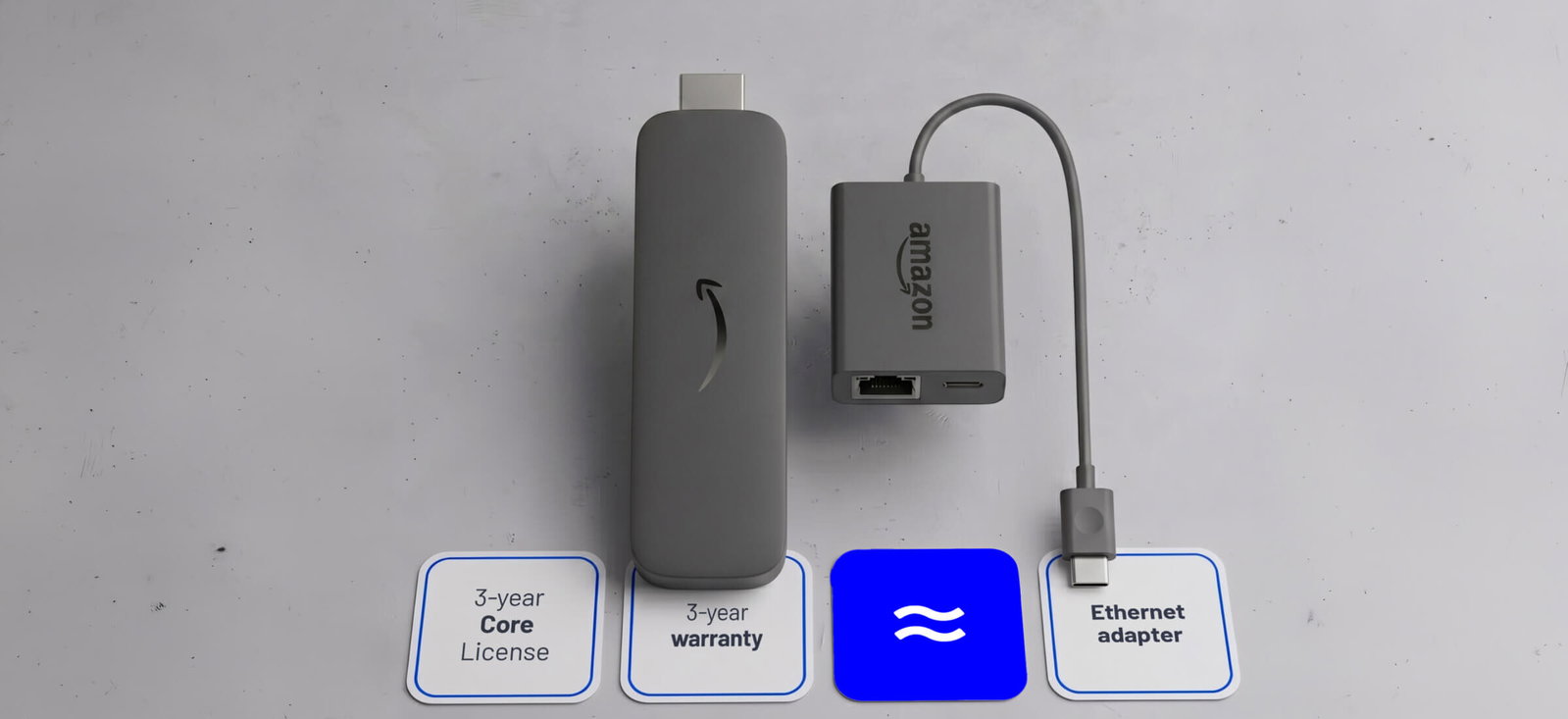
Airtame Go is the combination of proven Amazon commercial display hardware and an Airtame Core software license — bundled into one product, managed from one dashboard, at the lowest price point per screen on a 3-year term.
The Amazon Signage Stick inside is built for 24/7 continuous operation: stable, reliable, and thermally designed for the kind of always-on environments schools and workplaces actually run. Airtame’s software sits on top of that hardware and turns it into a fully managed screen — one you control remotely, update automatically, and monitor from anywhere.
Screen sharing from any device. Windows, macOS, Chromebook, iOS, Android — Airtame Go handles them all without cables, extra dongles, or driver installations. Users share from the Airtame app or directly from a browser at airtame.com/go. Fewer IT tickets and a lot less friction.
Native casting protocols. AirPlay and Miracast are supported on Airtame Go, meaning iOS and macOS users can share natively via AirPlay without downloading anything. Windows users can connect via Miracast the same way. For rooms where teachers or employees just want to walk in and share, (no app, no pairing code) this is what makes that possible.
Digital signage and emergency alerts, centrally managed. Update signage playlists across every screen in the building from Airtame Cloud — without touching a single device. Emergency alerts broadcast campus-wide in seconds. Reboot schedules, sleep timers, and firmware updates run automatically in the background.
Real IT time savings. IT teams using Airtame have reported going from roughly two hours of screen-related support per day down to around fifteen minutes per week. The reson? Central management. Mass operations — such as configuration changes, updates, monitoring — happen from one place rather than room by room.
4K resolution. Screen sharing and signage both run at full 4K.
Airtame Go is best for schools and organizations that need reliable screen sharing, digital signage, and cloud management at the most accessible price point in the Airtame lineup. It’s a particularly natural step for teams already running Airtame 2 who want to expand or replace without a full platform change.
A few honest caveats worth knowing before you buy:
Network setup: Ethernet with the included adapter is recommended. Airtame Go supports both personal WiFi (WPA/WPA2/WPA3-Personal) and enterprise WiFi networks (WPA2/3-Enterprise), so it fits most school and workplace network environments.
No video conferencing. Airtame Go covers screen sharing, digital signage, and emergency alerts. If you need built-in video conferencing, Airtame 3 Hybrid is the right product.
No dual screen support. Single display only.
If your rooms need video conferencing or dual screen setup, look at Airtame 3.
We know this one matters for a lot of our customers. When the Airtame Core license expires, screen sharing and basic remote management stay active. You’re not left with what’s sometimes called a ‘brick’, which is just a way to describe an unusable piece of hardware. That’s a meaningful difference from competing products that go dark when subscriptions lapse or where you have to return hardware — and it significantly reduces the procurement risk for organizations with long planning horizons.
Airtame Go is for schools and workplaces that want screens to work — reliably, centrally managed, and without a support burden — at the most affordable entry point in the Airtame platform.
If that matches your brief, take a look at Airtame Go for education or Airtame Go for business.